
Torch & SOS signal
Use your torch or screen to show an SOS pattern. This is a visual signal; it does not contact rescue services.
ONE APP. A MORE PREPARED YOU.
From your first checklist to your next outdoor adventure, build a toolkit that’s useful in everyday life.
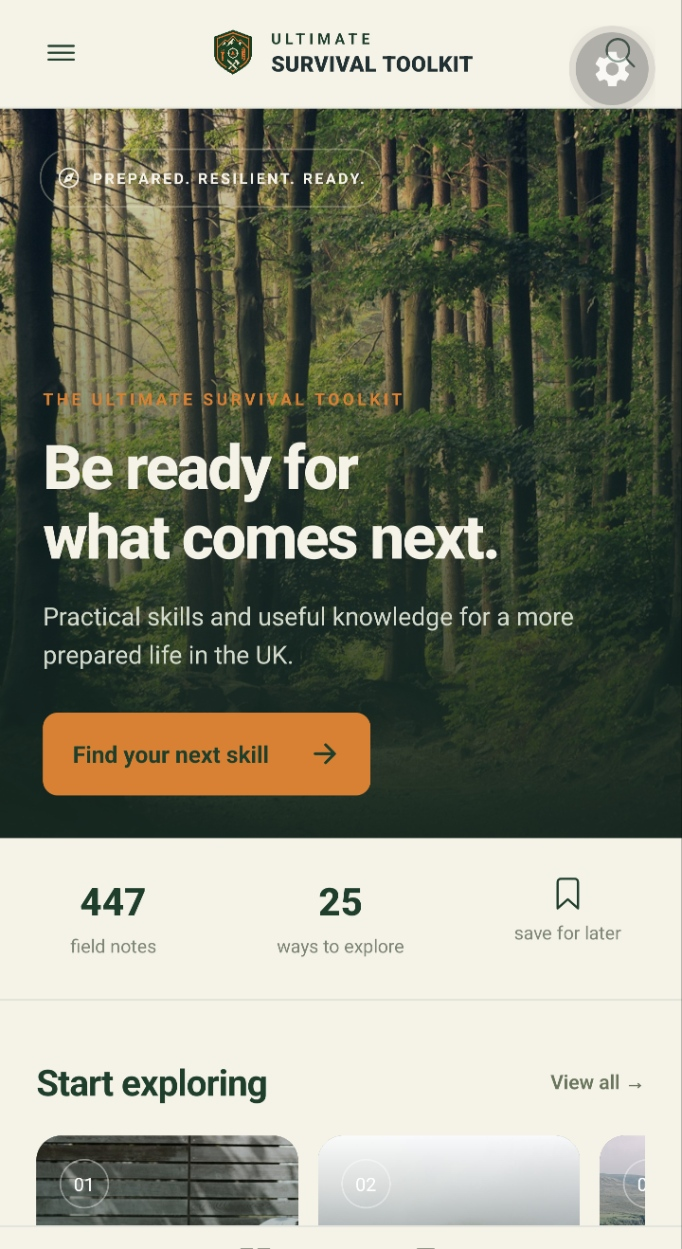
App preview · Interface and content may evolve.
01 / EXPLORE & LEARN
Find useful knowledge without losing your place.
Browse subjects and subcategories, search for an article, and keep the guides you want to return to. Images and embedded videos help bring the content to life.
Explore water, shelter, outdoor skills and everyday preparedness at your own pace.
Bookmark articles for later and tick off the ones you’ve read.
Clear articles with supporting images and YouTube video where included.
02 / PRACTICAL TOOLS
Make use of your phone’s capabilities alongside your own equipment and preparation.
Use your torch or screen to show an SOS pattern. This is a visual signal; it does not contact rescue services.
View your location and heading, and choose to share your coordinates. Accuracy depends on your device and surroundings.
Keep track of practical preparation, useful reminders and the things you still need to organise.
Listen to supported online radio streams when you have internet access. This does not turn your phone into an offline FM radio.
03 / STAY INFORMED
Explore earthquake information, disaster updates, flood information and news in one place, with links to source information.
Feeds can be delayed or unavailable. Always follow official local instructions; the app does not provide guaranteed real-time warnings.
Discover bundled tunnel routes, search for cave locations in the map area and switch between map and list views. Layer place data with available hazard information to explore an area with more context.
Caves and tunnels are not verified shelters. A map marker does not confirm safe access, structural safety or protection from flooding.
GOOD TO KNOW
Fresh articles, online images, YouTube videos, live feeds, map tiles and streaming radio need an internet connection. Don’t assume a saved article includes a complete offline copy of every image or video.
Some device tools can operate without mobile data, subject to permissions and hardware. Test your setup before relying on it outdoors.
More questions? Visit supportMAKE IT PART OF YOUR KIT
Guides to learn from. Places to explore. Tools to keep close.
One growing toolkit for Android.
£4.99 planned one-off price
No subscription planned. Final availability and pricing will be shown on Google Play.
See everything you getQuestions before you buy?